How to Make a Title Line on an Excel Spreadsheet?
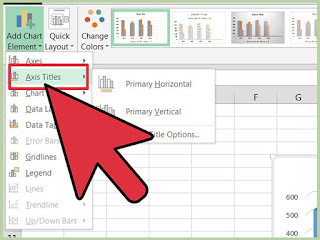
The title line is also known as a header. It enables the users to keep the first and primary line of the spreadsheet visible when they scroll through the rest of it. Excel Titles are fully customizable. Users can easily place them as per their preferences.Here is how to create a Title Line in Microsoft Excel Spreadsheet: Easy Ways to Add Header in MS Excel Pursue these instructions to add headers in MS Excel: First of all, hit the Text menu located just towards the existing ribbon’s right-hand side section. Then, press the option “Header and Footer.” Now, you are easily able to see all the information and data on a single page. After that, tap anywhere inside the section Header and then enter into your text. In order to go back to the default workbook view, hit the page layout icon “Normal.” It will be situated in the lowermost section of your spreadsheet doc. Once you return to the Normal layout view, you will see that the text doesn’t appear anymore. In Microsoft Ex...