How to Fix PowerShell Window Closing When You Run the Script
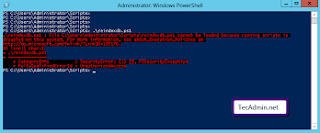
PowerShell works as a scripting language and the command-line shell. It is one of the reasons why PowerShell is a favorite of a lot of users who like to set the task of automatic management and process to the operating system. However, users have faced troubles in this application too, such as it closes after running some script. So, users try to keep the windows open even after running the script in PowerShell. This problem becomes essential to address when you remotely access the other server with the help of shared login credentials. If you wish to remove this problem, then you can use these methods: Initiate the Connection for the Remote Access Come to your home screen desktop. Create a file on desktop and name it executes .ps1 Open this file and paste the following content in it. clear-Host $br = “`n”;$br Write-Output ‘Step1: Press 1 for Powershell to reload.’ Write-Output ‘Step2: Press 2 to start a remote session.’ $br Write-Host ‘This script will’ -N...